Ash’s character, Basil, is an owl who runs the night shift at a library nobody else can find: fussy, soft-spoken, a little older than he looks. A community-trained RVC model finally got the voice close. On the first stream with it, Ash turned on monitoring, said “Good evening, readers,” and heard Basil say it a moment later, on top of the next sentence. By the third sentence Ash was stammering, for the first time in their life.
They turned monitoring off. Later, in a horror game, something came out of a bookcase. Ash yelped, Basil’s mouth snapped open, and the yelp arrived a beat later, as if Basil had needed a moment to decide whether to be scared. Chat typed “dubbed owl.”
Both problems came from one setting, the chunk of audio the changer collects before converting anything. They have different limits and different fixes.
1. Where the milliseconds come from
Latency is the time between your mouth making a sound and the changed sound coming out somewhere: your headphones, Discord or OBS. Most of it is waiting, not computing.
Digital audio is a stream of samples, measurements of the sound wave taken at a fixed sample rate; at 48 kHz, the usual rate for streaming, that is 48,000 a second. Software collects samples into a buffer, a block of fixed size, and processes it only once it is full. A 256-sample buffer at 48 kHz is 256 ÷ 48,000 = 5.3 ms; 480 samples is exactly 10 ms. Every buffer in the chain adds at least its own length. Microsoft’s driver documentation says Windows apps get 10 ms buffers by default unless they ask for smaller ones and the driver supports them; Windows’ built-in HD Audio driver goes down to 128 samples (2.66 ms).
| Stage | What it adds |
|---|---|
| Interface and OS buffers | About 10 ms by default on Windows; less with exclusive mode or ASIO |
| Voice changer | A few milliseconds (simple effects) to several hundred (AI conversion with large chunks) |
| Virtual cable or virtual microphone | Its own buffer; rarely published |
| Encoder and platform | Seconds, but applied to sound and picture together |
Why AI changers wait longer
A traditional changer works on the waveform directly: it shifts pitch, moves the formants (the resonances that make a voice sound big or small, covered in our guide to a consistent character voice) and adds filters. It needs only a short stretch of sound; a 1,024-sample analysis window is 21 ms at 48 kHz.
An RVC-style model (Retrieval-based Voice Conversion, the open-source family most community voice models belong to) has to recognise your speech sounds, estimate your pitch and re-synthesise them in another voice. That needs more context, and a GPU fast enough to finish each block before the next is due. Three settings control it:
- Chunk (or block size): how much new audio is collected before each conversion. This is the main source of delay.
- Extra: how much past audio is fed in alongside the chunk so the model understands what it hears. It improves accuracy and costs computing time.
- Crossfade: a short overlap that blends one converted chunk into the next to hide the seams. It adds its own length.
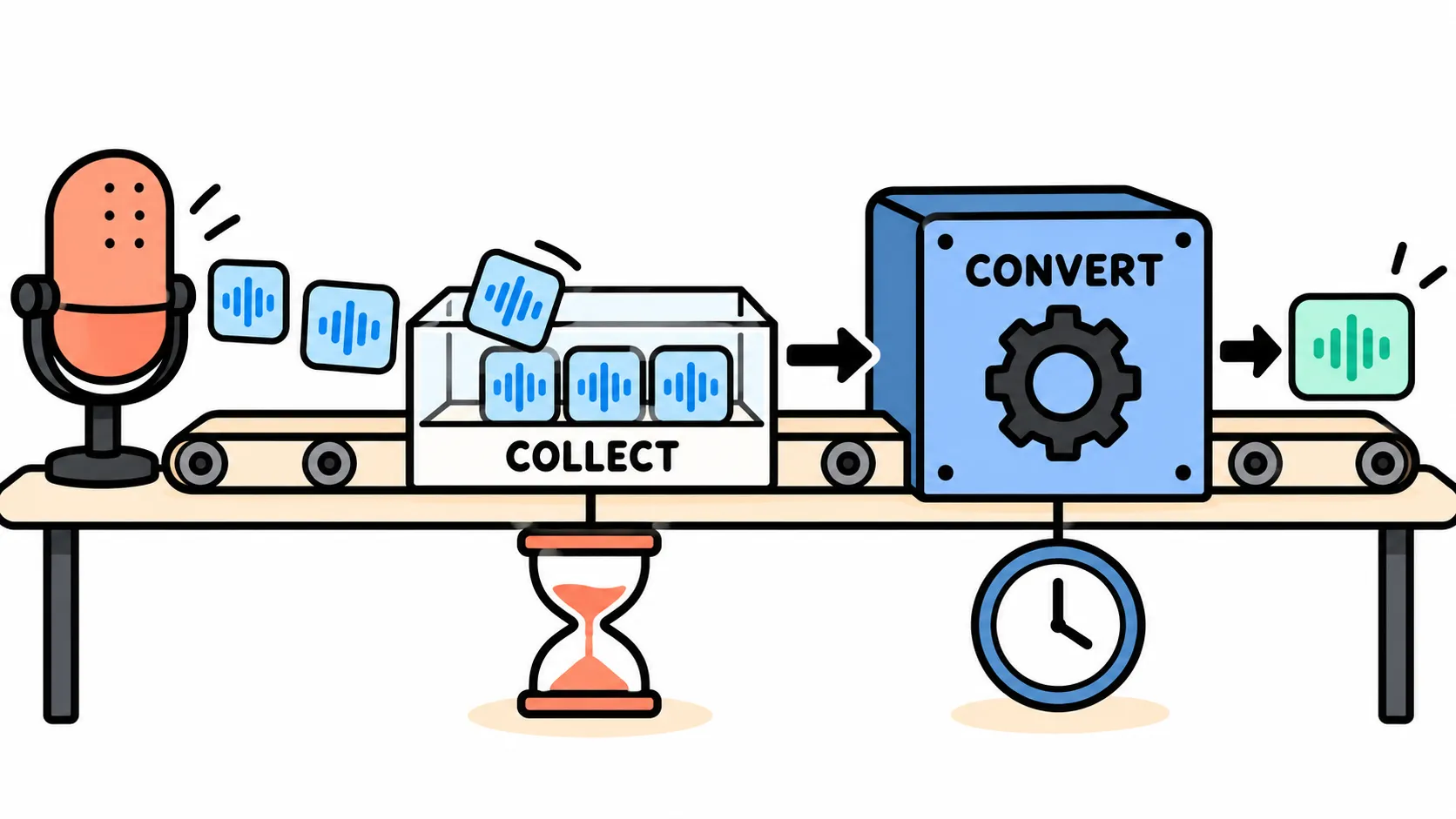
The VCClient documentation (w-okada’s voice changer) puts the lag at buf + res: buf is the chunk length in milliseconds and res is the time to convert that chunk plus its extra context. Keep buf longer than res; if converting a chunk takes longer than playing the previous one, the audio stutters. In the open-source code one CHUNK step is 128 samples at 48 kHz, or 2.67 ms, so a CHUNK of 32 waits 85 ms for audio, 64 waits 171 ms and 128 waits 341 ms, before any conversion time. The v2 builds are distributed separately, so trust the buf readout in your version.
The RVC project’s real-time window computes its “algorithm delay” as output latency plus block time plus crossfade plus 10 ms, and up to 40 ms more with input noise reduction. Its defaults (0.25 s block, 0.05 s crossfade) give 310 ms before device latency. Its README claims 170 ms end to end, and 90 ms with ASIO devices, “highly dependent on hardware driver support.” Voicemod advertises “ultra-low latency” without a number.
2. Three listeners, three limits
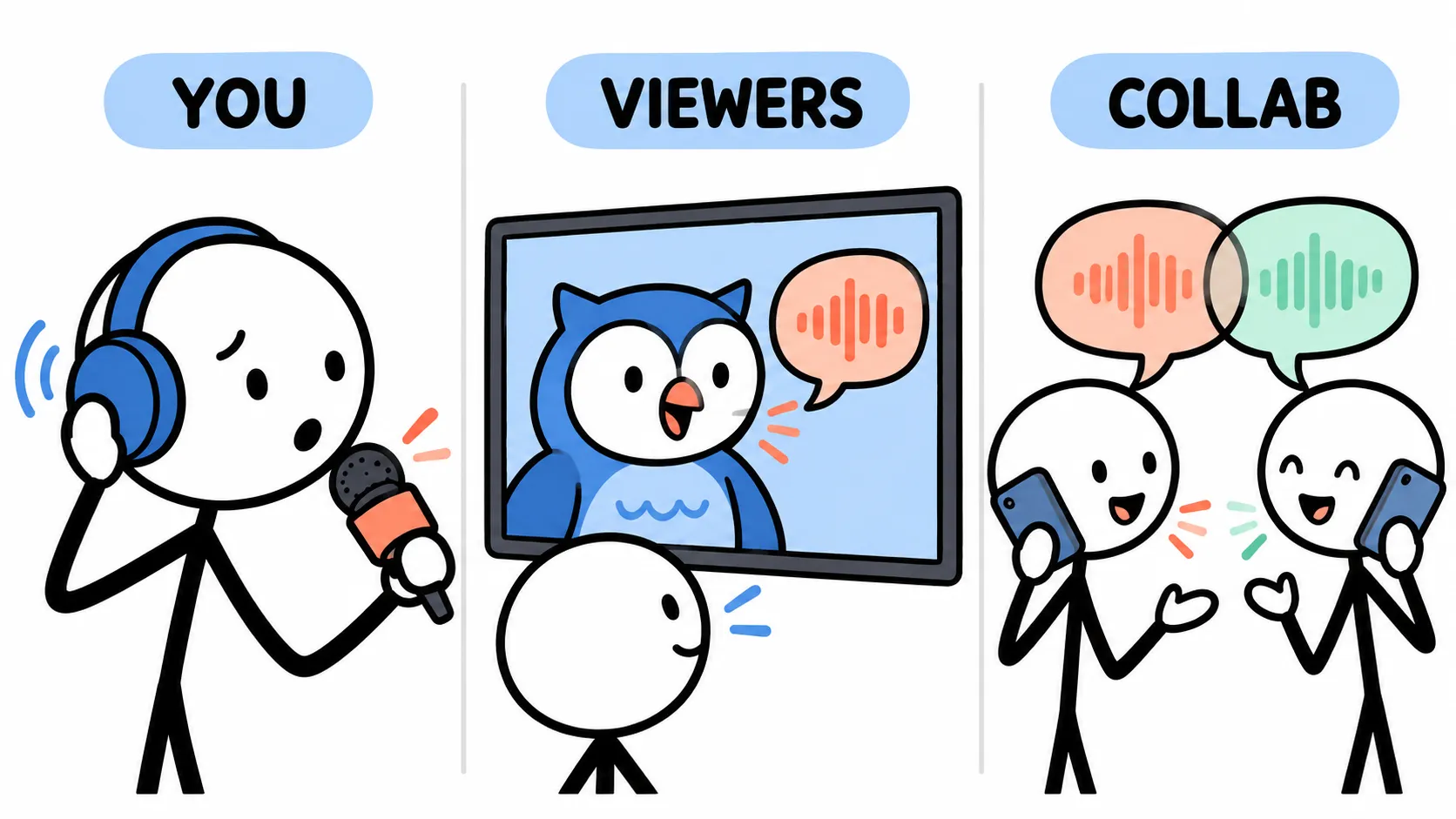
You: hearing yourself late
You time each syllable partly by hearing the last one, through the air and through the bones of your skull. Delay that feedback and the timing goes wrong. This is delayed auditory feedback (DAF), and reviews of the research put the most disruptive delay for adults at around 200 ms. In a 2002 study by Andrew Stuart and colleagues, 17 fluent adults read with delays of 0, 25, 50 and 200 ms; the 200 ms condition produced two to three times as many disfluencies as the others, and speaking fast made it worse. An AI changer in the low hundreds of milliseconds sits right in that zone, which is what happened to Ash.
Short delays have a different problem: the voice in your headphones clashes with the one in your skull. In hearing-aid studies by Michael Stone and Brian Moore, that mix became disturbing above about 15 ms in a dry room and 20 ms in a reverberant one. Below about 10 ms it mostly changes the timbre (a hollow sound called comb filtering); above 20 ms it sounds like an echo. Shure recommends 5 ms or less for vocalists on in-ear monitors. No AI changer gets near those numbers.
Your viewers: the mouth and the voice
Viewers never hear your dry voice. They notice the lip sync error, the gap between the avatar’s mouth and the sound, which broadcast engineers write as positive when sound leads and negative when it lags.
ITU-R Recommendation BT.1359 summarises viewing tests in which errors became detectable at about 45 ms early and 125 ms late, and unacceptable at about 90 ms early and 185 ms late. The EBU’s Recommendation R37 sets the broadcast target tighter: sound no more than 40 ms early or 60 ms late. Studies of human speakers agree on the shape: Ralf Steinmetz (1996) found ±80 ms was treated as in sync, and van Wassenhove and colleagues (2007) found lips and voice still fuse from about 30 ms of sound lead to 170 ms of lag. People forgive late sound far more than early sound; a voice three metres away already arrives about 9 ms after the lips move.
Basil below is synthetic: a text-to-speech voice and a drawn beak timed to it, with only the voice shifted in each video. Try in sync, then 125 ms late, then 90 ms early, or let the board hide the offset and make the call yourself.
Basil, seven ways out of sync
Voice and beak together: inside every target.
Script and files
- Greeting
“Good evening, readers. Please put the purple book back. Page by page, please.”
↓ Voice 90 ms early (MP4)↓ Voice 45 ms early (MP4)↓ In sync (MP4)↓ Voice 60 ms late (MP4)↓ Voice 125 ms late (MP4)↓ Voice 185 ms late (MP4)↓ Voice 300 ms late (MP4)↓ Voice (WAV)↓ Mouth timeline (JSON) - Jump scare
“Pah! Who moved that bookcase? Books do not move. Books do not move!”
↓ Voice 90 ms early (MP4)↓ Voice 45 ms early (MP4)↓ In sync (MP4)↓ Voice 60 ms late (MP4)↓ Voice 125 ms late (MP4)↓ Voice 185 ms late (MP4)↓ Voice 300 ms late (MP4)↓ Voice 200 ms late (MP4)↓ Voice (WAV)↓ Mouth timeline (JSON) - Numbers
“Page ninety-nine. Paragraph two. Pay attention, please, or I'll be cross.”
↓ Voice 90 ms early (MP4)↓ Voice 45 ms early (MP4)↓ In sync (MP4)↓ Voice 60 ms late (MP4)↓ Voice 125 ms late (MP4)↓ Voice 185 ms late (MP4)↓ Voice 300 ms late (MP4)↓ Voice (WAV)↓ Mouth timeline (JSON)
An AI changer makes the voice late, the forgiving direction. A yelp 200 ms late is still past every acceptability figure above, hence “dubbed owl.”
The avatar is late too. The mouth reaches the screen through its own chain of camera, tracking, smoothing and rendering, and tracking apps rarely publish a figure. Viewers see the difference between the two chains. For illustration: a voice that takes 250 ms to reach OBS against a mouth that takes 90 ms is 160 ms behind, detectable but not yet unacceptable.
Or let the voice drive the mouth. VTube Studio’s microphone-based “Advanced Lipsync” reads vowels from an input you choose. Point it at the changer’s output instead of your real microphone and the mouth waits for the converted voice. Audio-driven mouths know only vowels and volume, so they are less expressive than camera tracking, and VTube Studio says to recalibrate when your audio setup changes: calibrate on Basil, not on Ash. The reverse mistake, dry microphone into the avatar and converted voice into the stream, builds in the changer’s full delay.
Whichever fix you use, aim for zero and, if you miss, miss late.
Your collab partner: the conversation
On Discord or in a collab, your partner hears your converted voice live, plus the network’s delay. The telephone standard ITU-T G.114 measures this as one-way mouth-to-ear delay, every stage included. Below 150 ms, “most applications, both speech and non-speech, will experience essentially transparent interactivity”; 400 ms should not be exceeded in network planning. Conversation runs on short gaps (Stephen Levinson and Francisco Torreira put the gap between turns “of the order of 200 ms”), so a few hundred milliseconds of changer delay is enough to make people talk over each other. Nothing in OBS can hide it.
The platform’s delay doesn’t matter for any of this. YouTube says most viewers of an ultra-low-latency stream are under 5 seconds behind, but sound and picture are delayed together: a voice 80 ms behind the mouth in OBS is 80 ms behind on the viewer’s screen.
3. Measure your chain and fix it
Changer delay: dry against wet
Record your dry voice (straight from the microphone) and your wet voice (after the changer) on two tracks at once:
- In OBS, add the real microphone and the changer’s virtual microphone as separate audio sources, the dry one kept off the stream track.
- In Settings → Output, switch to Advanced mode, record to MKV (OBS recommends it for multiple audio tracks) and enable two extra tracks; in Edit → Advanced Audio Properties, give each source its own track.
- Record ten seconds of claps and hard “pa!” sounds with pauses between. Include plosives, because the changer may mangle a clap.
- In an editor that shows separate tracks, measure from the start of a dry spike to the start of the wet one. Take the median of three or four.
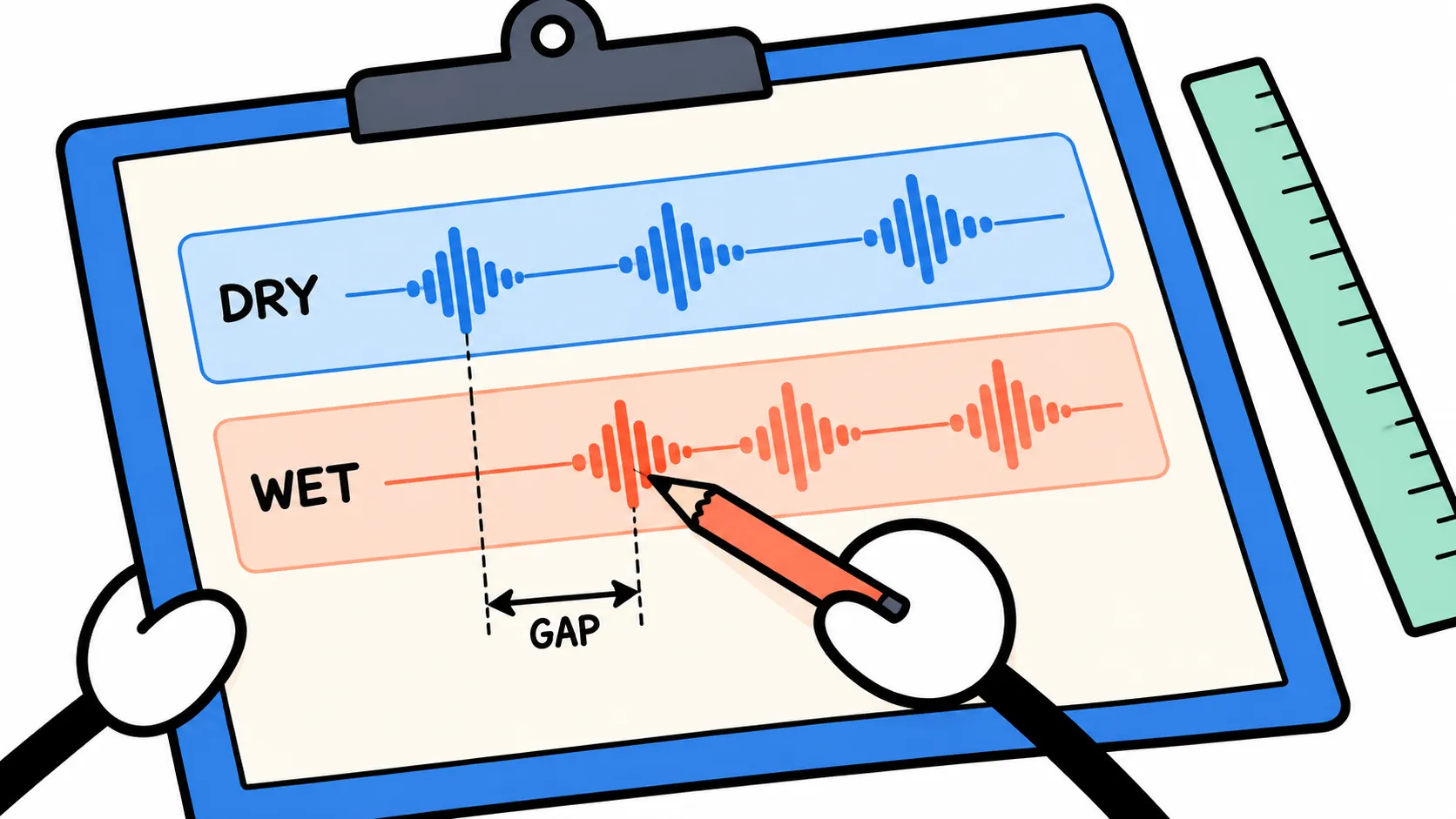
That number covers the changer and its virtual device; the changer’s own readout (VCClient’s buf and res, RVC’s “algorithm delay”) covers only the conversion.
The gap viewers see
Record your normal scene and make a few single, exaggerated “pa!” sounds. In a video editor, find the first frame where the mouth opens and the point where the sound starts, and subtract. A frame is 16.7 ms at 60 fps, which is precise enough.
Close the gap in OBS
Sync Offset delays an audio source. It sits in the “Sync Offset” column of Edit → Advanced Audio Properties, in milliseconds, and accepts −950 to 20,000 ms in current OBS code. A positive value delays the voice, for when it arrives early (a slow tracking chain with a fast changer). A negative value pulls the voice earlier relative to everything else in OBS’s output.
Render Delay delays a video source; OBS describes it as delaying “the rendering of the Source image.” Add it as a filter on the avatar only, set to the gap you measured, and the mouth waits for the voice. Don’t apply it to the whole scene, or the game will fall behind its own sound.
Then record and measure again, aiming for the R37 window.
Remove delay you don’t need
- Direct device mode. VCClient’s “server device mode,” where the app drives the devices itself, has less delay than its browser-based mode, at the cost of the browser’s noise suppression.
- A low-latency driver path. The RVC project credits ASIO for its 90 ms figure; VCClient’s developer reports low delay with WASAPI. Exclusive mode and ASIO bypass Windows’ shared audio engine.
- One sample rate everywhere. Voicemod recommends 16-bit, 48,000 Hz on every device so nothing is resampled; VCClient’s server mode requires it.
- Nothing you don’t need. Turn off Windows audio enhancements on the microphone (Voicemod’s first tip), and the changer’s input noise reduction if your room is quiet.
4. Pick a budget
Monitor dry, check wet in bursts
Don’t monitor an AI-converted voice continuously while you talk. Hear your dry voice through open-backed headphones or your interface’s direct monitoring. Check the converted voice in bursts: your opening line before going live, a sentence when something sounds off (Voicemod’s “Hear Myself” takes a hotkey or Stream Deck button), and the recording afterwards, which is exactly what viewers heard.
Tune the chunk
- Start large, with a chunk long enough that the voice is clean and never stutters (in VCClient, buf comfortably longer than res).
- Step down until it breaks (crackles, dropouts, mangled consonants), then go back up two steps. That’s your floor for this GPU and model.
- Measure at the floor with the dry/wet test. If that plus your network delay stays inside G.114’s comfortable range, collabs can use the AI voice; if not, they get the effect-based one.
- Close the stream gap with Render Delay or Sync Offset, and re-measure.
- Write it down, next to the model name: chunk, extra, crossfade, measured delay, offset.
Once OBS has closed the gap, viewers can’t tell 150 ms from 300 ms, but they can hear crackles.
The budget
| Who is listening | What is measured | Comfortable | Noticeable | Broken | Source |
|---|---|---|---|---|---|
| You, monitoring the converted voice | Monitored voice behind your own | Up to about 15 ms (vocalists aim for 5 ms) | From about 15–20 ms: an echo. Rule of thumb: treat 50–200 ms as at least noticeable (not tested as a band) | Around 200 ms: disrupts fluent speech | Stone & Moore; Shure; Stuart et al. 2002; DAF reviews |
| Viewers, voice late | Lip-sync gap in the stream | Up to 60 ms (R37); up to 125 ms still undetected in BT.1359’s tests | 125–185 ms | Over 185 ms | EBU R37; ITU-R BT.1359 |
| Viewers, voice early | Lip-sync gap in the stream | Up to 40 ms | 45–90 ms | Over 90 ms | EBU R37; ITU-R BT.1359 |
| Collab partner | One-way mouth-to-ear, changer plus network | Under 150 ms | 150–400 ms: turn-taking gets harder | Over 400 ms | ITU-T G.114 |
The collab row is a total: the changer and the network share the same 150 ms.
So how much is too much?
Ash kept the AI voice. Dry microphone in the headphones ended the stammering; Basil’s lip sync now comes from the changer’s output, with a small Render Delay on the avatar for what was left. For collabs with a friend who talks very fast, Basil uses a pitch-and-formant voice. He sounds a little younger in those, which the lore explains as the coffee.
Latency is too much when it lands on a listener who can’t absorb it. Your ears can’t absorb an AI changer’s delay, so keep it out of your headphones. Viewers can, once you close the gap in OBS. A collab partner gets only what your chain’s real speed allows.
Sources
- ITU-R Recommendation BT.1359-1 (1998), “Relative timing of sound and vision for broadcasting” — detectability +45/−125 ms, acceptability +90/−185 ms. Checked 19 Oct 2026.
- EBU Technical Recommendation R37-2007, “The relative timing of the sound and vision components of a television signal” — end-to-end +40/−60 ms. Checked 19 Oct 2026.
- ITU-T Recommendation G.114 (05/2003), “One-way transmission time” — 150 ms, 400 ms, interactive tasks under 100 ms. Checked 19 Oct 2026.
- R. Steinmetz, “Human perception of jitter and media synchronization,” IEEE Journal on Selected Areas in Communications, 1996.
- V. van Wassenhove, K. W. Grant and D. Poeppel, “Temporal window of integration in auditory-visual speech perception,” Neuropsychologia, 2007.
- A. Tinwell, M. Grimshaw and D. Abdel Nabi, “The effect of onset asynchrony in audio-visual speech and the Uncanny Valley in virtual characters,” International Journal of Mechanisms and Robotic Systems, 2015.
- W. Fujisaki, Frontiers in Psychology, 2012 — summary of the delayed-auditory-feedback literature (maximal disruption near 200 ms).
- A. Stuart, J. Kalinowski, M. P. Rastatter and K. Lynch, “Effect of delayed auditory feedback on normal speakers at two speech rates,” Journal of the Acoustical Society of America, 2002.
- M. A. Stone and B. C. J. Moore, Ear and Hearing, 1999 and 2002 (hearing-aid delay and own-voice perception), as summarised in Canadian Audiologist’s feature on Brian Moore’s work.
- Shure, “Digital wireless latency explained.” Checked 19 Oct 2026.
- S. C. Levinson and F. Torreira, “Timing in turn-taking and its implications for processing models of language,” Frontiers in Psychology, 2015.
- Microsoft Learn, “Low latency audio” (Windows drivers). Checked 19 Oct 2026.
- w-okada/voice-changer (VCClient): README, RVC tutorial, device-mode tutorial, server source code. Checked 19 Oct 2026.
- RVC-Project/Retrieval-based-Voice-Conversion-WebUI: README and realtime_gui.py. Checked 19 Oct 2026.
- Voicemod homepage and support articles “Tips to minimize audio delay” and Hear Myself / keybind help. Checked 19 Oct 2026.
- OBS Studio: Knowledge Base “Render Delay Filter” and “Advanced Recording Guide and Multi Track Audio”; Sync Offset range from the obs-studio source code (OBS 32.2.2 era). Checked 19 Oct 2026.
- VTube Studio wiki, “Lipsync.” Checked 19 Oct 2026.
- YouTube Help, “Understand live streaming latency.” Checked 19 Oct 2026.