On day one, your fox-spirit character is bright, bossy and a little too pleased with herself. You found the voice by accident while testing the microphone, and it was wonderful.
On day nine you have a cold, you streamed for four hours yesterday, and about forty minutes in she quietly turns back into you, reading chat in your normal voice with a slightly raised eyebrow. Someone types “wait, is this the same person?” and you realise the character was never written down anywhere. It lived in your throat, and your throat had a bad week.
This is the exact gap that the current generation of AI voice tools was built to close. A voice changer that runs a neural model instead of a pitch slider, a text-to-speech voice you designed from a written description, or a speech-to-speech model that keeps your performance and swaps the speaker, all put the character’s identity somewhere more reliable than a human throat. What they do not do is decide what the character sounds like, or stop you from drifting in the half of the work the model never touches. This guide covers both halves.
1. Why AI voices still drift
Consistency is a smaller problem than talent
Professional voice actors are hired for range. Dee Bradley Baker voiced more than twenty clone troopers in one show, each one distinct. That is a party trick you do not need. You need the opposite skill: a single character who sounds like herself whether she is excited, tired, whispering or reading a sponsor segment.
Voice coaches describe a character voice as a handful of separate settings rather than one magic sound. Rachel Frawley, writing for Casting Networks, lists pitch, pace, texture, age, placement, physicality and dialect, and her advice for learning them is to change one at a time while keeping the rest fixed. Her summary is blunt: “Specificity and consistency are key.”
Read that as good news for anyone using AI tools. If a voice is a list of settings, you can write the list down. Some of those settings (pitch, texture, age impression) can be handed to a model entirely. The rest (pace, energy, verbal habits) stay in your performance, and a written list is how you rebuild them on a bad day.
Design the voice on paper before you touch a model
Start with the character, not with sliders or prompts. Give yourself a one-line description and then fill in seven dials. Here is a worked example so the dials are not abstract.
Mochi is a three-hundred-year-old tea-shop ghost who looks about twelve and is very tired of being mistaken for a child.
| Dial | What it means | Mochi’s setting | Who owns it |
|---|---|---|---|
| Age impression | How old the voice feels, independent of the avatar’s age | Older than she looks: measured, unhurried, dry | Model + you |
| Energy | Default level of effort, from sleepy to caffeinated | Low, with sudden spikes when someone touches the teacups | You |
| Pace | Words per breath, and how often she pauses | Slow; pauses before punchlines | You |
| Pitch range | Where the voice sits and how far it moves | Middle of the range, small movements; never squeaks | Model + you |
| Placement | Where the sound seems to resonate in your head | Forward and slightly nasal, like talking through a polite smile | Model (mostly) |
| Texture | Breathy, clear, gravelly, airy | Clear with a soft edge; a little breath on sighs | Model |
| Verbal habits | Recurring words, sounds, sentence shapes | Ends sentences with “obviously”; calls viewers “customers” | You |
Two of those words need unpacking.
Placement is the feeling of where the sound sits. Say a sentence as if you are talking out of the front of your face, then say the same sentence as if it comes from the back of your throat. Nothing about the pitch has to change, and yet the two versions sound like different people. Placement is the dial beginners never touch because nobody told them it existed, and it is also one of the things a good AI voice conversion model replaces wholesale, which is why the same model can make two performers sound like one character.
Pitch range is deliberately not “high” or “low.” It is a range: where the voice rests and how far it is allowed to travel. A character whose pitch rests in the middle but never jumps reads as calm. The same resting pitch with big swings reads as excitable. A model sets where the voice rests; you still decide how far it travels.
Fill in all seven dials before you generate anything. The right-hand column is the useful one: it tells you which parts of the voice you can store in software and which parts you have to keep performing.

2. What AI voice tools actually do to your voice
The chipmunk trap, and why neural conversion escapes it
The first thing most people try is dragging a pitch slider upward. Five semitones later the fox spirit sounds like she has been inhaling helium, and the obvious fix (drag it back a bit) only produces a slightly less helium version of you.
Here is why. Your voice has two separate parts. The vocal folds in your throat make a buzz, and the speed of that buzz is the pitch. The buzz then passes through your throat, mouth and nose, which act like a filter, boosting some frequencies and swallowing others. The boosted peaks are called formants, and they are set by the physical size and shape of the tube the sound travels through. Formants are how a listener guesses the size of the body that produced a voice, without ever seeing it.
A plain pitch shifter moves everything together: the buzz and the formants. Shift upward and you get a voice whose formants say “very small body,” which is exactly what a chipmunk’s throat would produce. The audio engineers at Antares put it in one line: “Pitch shifting moves the note. Formant shifting moves the voice.”
Classic voice changers patched this by giving you a second slider for formants. Neural voice conversion does something different: the model listens to what you said and how you said it, then re-synthesises the audio through a different voice entirely. The formants, texture and resting pitch come from the target voice, not from a mathematically squeezed version of yours. That is the technical reason an AI character voice can sound like a different person rather than a filtered one, and it is also why the model, not you, now owns the “placement” and “texture” dials.
That capability ships in three forms. Decide which one you need before you compare brands, because the brands are not interchangeable.
| Test point | Live AI voice changer | Text-to-speech / Speech-to-speech |
|---|---|---|
| You perform the lines? | Yes, in real time | TTS: no. Speech-to-speech: yes, recorded first |
| Delay between speaking and hearing | Tens to a few hundred milliseconds, depending on tool and hardware | Not applicable; processed after recording |
| Where the "voice" lives | A voice model or preset plus your performance | A saved voice ID plus your text or your recording |
| Best for | Streams, game chat, Discord, anything with a live audience | Story videos, shorts, ASMR, dubs, anything you edit |
| Biggest consistency risk | Your performance drifts across a long session | A model update or a changed setting alters the voice between videos |
Route A: live AI voice conversion
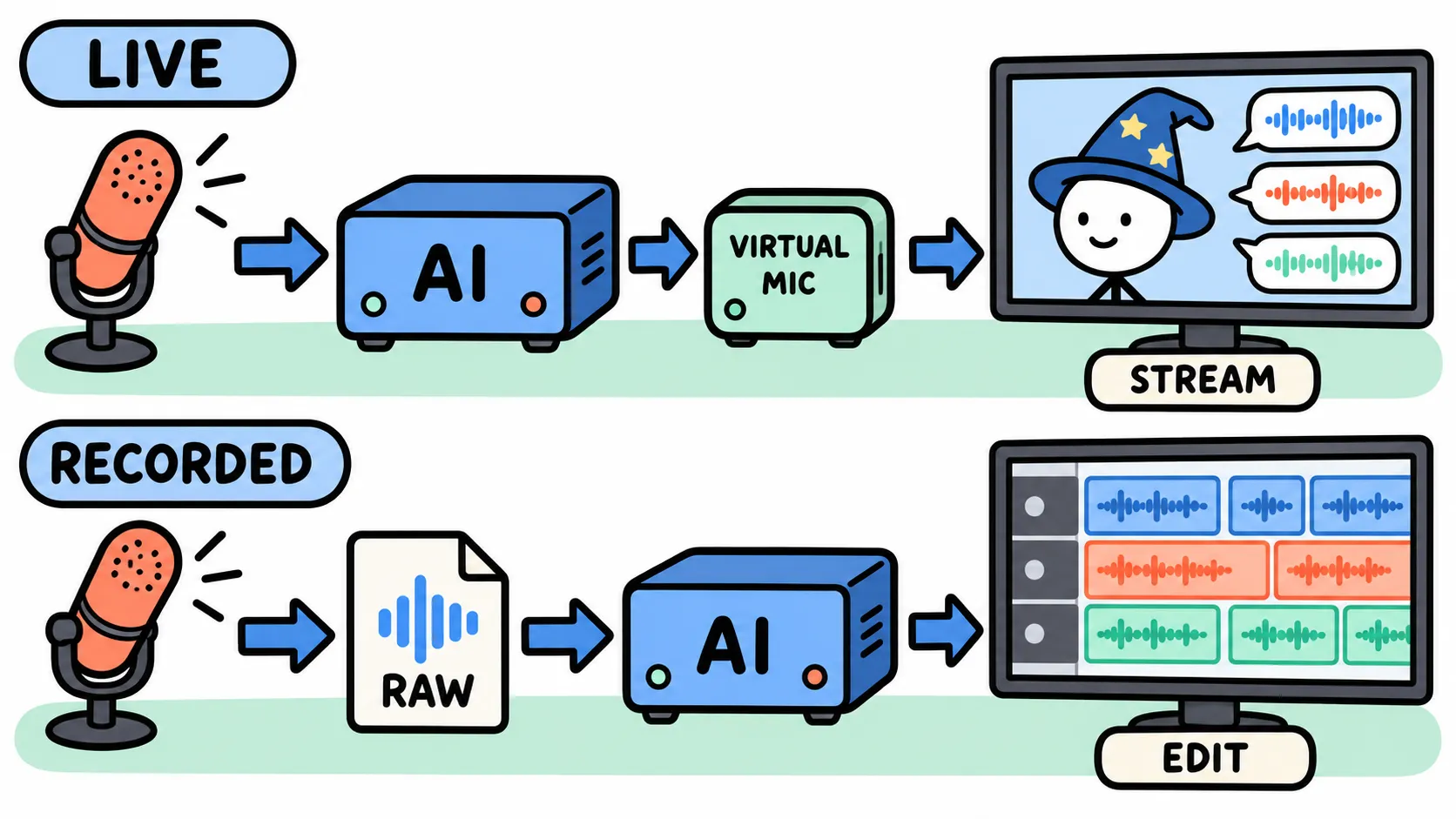
A live voice changer sits between your microphone and the apps you talk through. After installing, it creates a virtual microphone, a fake input device that your computer treats like real hardware. You pick “Voicemod Virtual Microphone” (or the equivalent) as the mic inside Discord, OBS or the game, and every app hears the processed voice while you speak normally into the real one.
Two kinds of tool live here, and the difference matters more than the brand name:
- Effect-based changers apply pitch, formant, reverb and filters to your voice. Cheap, instant, and your real voice is always underneath. With a good formant control they can do “younger” or “older” convincingly. They cannot turn a bass voice into a convincing soprano.
- AI voice conversion runs your speech through a trained model and outputs a different voice. Voicemod sells itself as a “real-time AI voice changer” with a catalogue of over two hundred voices it says were trained with professional voice actors. The open-source route is VCClient (often called the w-okada voice changer), which runs RVC-type models on your own GPU and lets you load community or self-trained voices; it ships Windows, Mac and Linux builds, though the RVC support is on the Windows CUDA and ONNX editions.
The honest cost of route A is latency. Every processing step adds delay between your mouth and your ears, and if you monitor yourself through the changer you will feel it. Neural conversion generally needs more delay than simple effects, and the trade-off is usually a “chunk size” or buffer setting: larger chunks sound better and arrive later. Pick the tool whose delay you can live with, then never touch the buffer again.
Route B: text-to-speech with a designed voice
Text-to-speech (TTS) means typing the line and letting a model speak it. For character work the interesting part is voice design: you describe a voice in words (“a dry, unhurried woman in her forties with a slight nasal brightness”) and the model generates candidates. ElevenLabs’ Voice Design takes a description of twenty to one thousand characters and returns three previews; its current v3 and v4 models also accept inline audio tags such as [whispers] or [laughs] to steer delivery.
You do not need a subscription to try this route. Open-weight models run on an ordinary PC: Kokoro-82M is an Apache-licensed model with a few dozen stock voices and a speed control but no emotion control, and Resemble AI’s MIT-licensed Chatterbox adds an “exaggeration” dial for more dramatic delivery and stamps every file with an inaudible watermark. Stock voices are shared with everyone else who downloaded the model, which is fine for a prototype and a problem for a character you want to own.
Consistency on route B is the easiest of the three in one sense: the voice is a saved ID, and the same ID produces the same identity every time. What you lose is your own timing. The pause before Mochi’s punchline now belongs to the model, and you will spend time regenerating lines to get it back. TTS suits narration, visual-novel dialogue and clips where you never intended to perform in the first place.
Route C: speech-to-speech
Speech-to-speech is the route most new creators have not heard of, and it is the one built for the problem in this article. You record the line in your own voice, with your own pauses, breaths and energy. The model then keeps how you said it and replaces who said it.
ElevenLabs calls this its Voice Changer and describes it as converting source audio into another voice while preserving “whispers, laughs, cries, accents, and subtle emotional cues.” The practical limits as of our check: segments up to five minutes, processed after upload rather than live, with the multilingual speech-to-speech model recommended even for English. You choose the output voice by its ID, which can be a voice you designed, a voice from the library, or a clone of your own voice.
That last detail is why route C is so good for consistency. The target voice is a fixed object. Your performance can wobble, and the identity will not. If you have a cold, the output voice does not have a cold; it just inherits your slower pace, which you fix by re-recording the line rather than by re-finding a character.
3. Build a Character Voice Sheet that software can read
Your character’s voice now lives in three places: your body, your software settings, and a voice model or ID. The voice sheet is the single page that records all three so any of them can be rebuilt. Keep it to one page. A sheet nobody reopens is a diary.
The character, the settings, the model
The character. The one-line description and the seven dials from earlier, in words. Add two or three “never” rules: Mochi never squeaks. Mochi never rushes a sentence, even when excited.
The settings. For a live changer, the exact preset or model name, pitch and formant values, noise gate, and the buffer setting, plus the app version. For TTS or speech-to-speech, the voice ID, the model name (write down “Multilingual v2” or “Eleven v4,” not “the usual one”), stability and similarity values, and the date you last generated with them.
The model, pinned. Model names change. The ElevenLabs line-up has moved through v2, v3 and v4 in a short time, and a voice generated on one can sit differently on another. Open-source RVC models get re-trained and re-uploaded under the same name. Writing the exact model down is how you notice that a drift is the software’s fault, not yours, and it is the one line on the sheet that a human voice actor never needed.
The Anchor Five
Record five lines once, in your best session, same room, same microphone distance, and save both the raw recording and the AI-processed output. These are your reference, and they are the most useful fifteen minutes in this whole guide.
Take the lines from the segments your streams are actually made of, so the set covers the whole range a viewer hears in one night, and write them yourself so you own them. Mochi’s streams follow the running order most Japanese-style channels use, so her five are:
- Opening (bright, quick): “Good evening, everyone, and welcome to the tea house! Grab a cushion. Yes, I am still three hundred years old, and no, I am not taking questions about it.”
- Story time (narrative, measured): “So. Last night a customer sat in the chair nobody sits in. The creaky one. For a whole hour it did not creak once. I have never been so offended by furniture.”
- Marshmallow (gentle, slow): “Marshmallow time. ‘Mochi, I failed my exam and I can’t tell my parents.’ Listen, customer. You can. They would rather hear it from you tonight than from a letter next week. Tea first, obviously.”
- Superchat (surprised, then warm): “Wait, wait, a red one? ‘Keep the lights on, Mochi.’ I am not crying, that is steam. Thank you. The lights were staying on anyway, but thank you.”
- Closing (soft, half-whispered): “Alright, that was the last cup. Off to bed, all of you. The chairs will keep your place. Otsu-mochi, and goodnight.”
If you do not stream in that format, swap the segments for yours; the point is that the set spans your loudest and quietest moments, not that it has five emotions in it. (A marshmallow is an anonymous question sent through the Marshmallow box that most Japanese VTubers read on stream; a red superchat is the top donation tier; “otsu-mochi” is the character’s own twist on otsukare, the sign-off every channel ends up inventing.)
Name the files so you can find them without listening: mochi_anchor_01-opening_raw.wav, mochi_anchor_01-opening_processed.wav, and so on. Store them with the sheet.
Here is what the finished set sounds like in a mock stream. We rendered the five segments with Chatterbox, an open-weight text-to-speech model whose only “acting” control is an intensity dial, as three candidate voices for Mochi, then dropped them into a pretend stream with a chat written for the occasion. None of the candidates is a cloned person: each one’s reference voice was itself generated, so there is nobody to ask permission from. Switch candidates, play the whole night through, and notice which segments a voice carries and which it drops.
Mochi's first stream, three candidate voices
Script, direction and settings for each segment
- Opening
“Good evening, everyone, and welcome to the tea house! Grab a cushion. Yes, I am still three hundred years old, and no, I am not taking questions about it.”
↓ Candidate A · dry WAV↓ Candidate B · warm WAV↓ Candidate C · breathy WAV - Story time
“So. Last night a customer sat in the chair nobody sits in. The creaky one. For a whole hour it did not creak once. I have never been so offended by furniture.”
↓ Candidate A · dry WAV↓ Candidate B · warm WAV↓ Candidate C · breathy WAV - Marshmallow
“Marshmallow time. 'Mochi, I failed my exam and I can't tell my parents.' Listen, customer. You can. They would rather hear it from you tonight than from a letter next week. Tea first, obviously.”
↓ Candidate A · dry WAV↓ Candidate B · warm WAV↓ Candidate C · breathy WAV - Superchat
“Wait, wait, a red one? 'Keep the lights on, Mochi.' I am not crying, that is steam. Thank you. The lights were staying on anyway, but thank you.”
↓ Candidate A · dry WAV↓ Candidate B · warm WAV↓ Candidate C · breathy WAV - Closing
“Alright, that was the last cup. Off to bed, all of you. The chairs will keep your place. Otsu-mochi, and goodnight.”
↓ Candidate A · dry WAV↓ Candidate B · warm WAV↓ Candidate C · breathy WAV
4. Keeping the voice the same, session after session
The thirty-second reset
Here is the whole consistency routine. It costs less time than finding your streaming overlay.
Live (route A): Open the sheet. Play the processed opening anchor once through headphones. Say the same line into the changer and listen for the gap. Nine times out of ten the gap is placement or energy, not pitch, and you can close it in two more attempts. Then go live. Keep headphones on while streaming; people who monitor themselves through the model drift far less than people who cannot hear the character.
Recorded (route C): Record dry first, meaning your own untreated voice, with no effects in the chain. Convert afterwards. Keep the dry file. If a strange consonant shows up in the output, the dry recording tells you whether it came from your mouth, your room or the model, and a dry file can always be re-converted when a better model appears. A processed-only recording cannot be undone.
Hybrid: Same target voice description on both engines, same anchor set to compare against, and one person (you) who decides when a mismatch is acceptable. Most viewers forgive a stream voice and a video voice sounding like the same character on different microphones. They do not forgive two different characters.
Checking drift without lying to yourself
Your own ears are the worst judge of your own consistency, because you remember what you meant to sound like. Two cheap checks work better.
The shuffle test. Take a processed anchor line from month one and the same line recorded this week. Rename them to a.wav and b.wav, hand them to a friend or a Discord mod, and ask which is older. If they cannot tell, you are consistent. If they can tell instantly, ask what gave it away; the answer is usually one dial, and you can write it on the sheet as a new “never.”
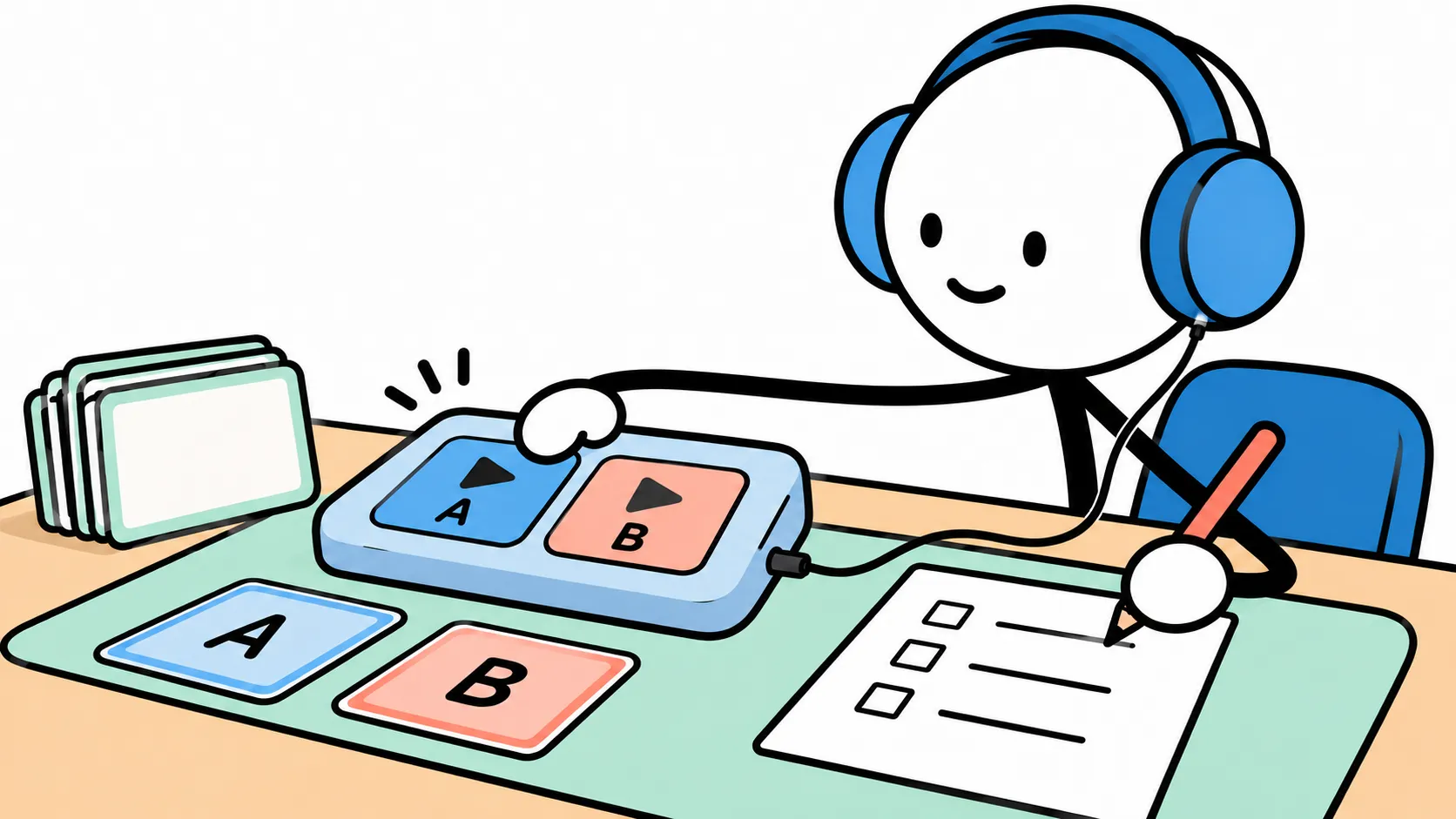
The cold-open test. Once a month, record the opening anchor before your warm-up, with no reference playing. Compare it to the original. The distance between your cold version and your warmed-up version is your real-world drift, and it tells you how much the thirty-second reset is doing for you.
The model-update test. When a tool announces a new model or a big update, regenerate the five anchors before you use it on a real video. If the character moved, you decide whether to re-pin the old model, adjust settings, or accept the new voice and update the sheet’s date. What you do not do is discover the change in the comments.
5. Rights, disclosure, and where to start
Whose voice is it?
A designed voice, an effect preset or a conversion of your own voice raises no ownership question. Cloning a real person’s voice does, and the rules have moved quickly.
Tennessee’s ELVIS Act, in force since July 2024, extends the right of publicity to AI simulations of a person’s voice and reaches people who knowingly distribute tools whose primary purpose is producing unauthorised replicas. A federal bill, the NO FAKES Act, had cleared the Senate Judiciary Committee by June 2026 but had not become law as of September 2026. In the EU, the AI Act’s Article 50 transparency rules apply from 2 August 2026 and cover AI-manipulated audio; for “evidently artistic, creative, satirical, fictional” work the duty is lighter, requiring disclosure in a way that does not spoil the piece. The short version for a creator: do not clone a voice actor, a streamer or anyone who has not given you permission in writing, and treat “it’s just for my character” as no defence at all.
The tools reflect this. ElevenLabs uses a voice-verification step to confirm that Professional Voice Clones are made from your own voice, and only those can be shared publicly in its library. Voicemod states its catalogue voices were trained with professional voice actors under a certified training scheme. Community model sites for RVC are a different world: a downloaded model of a famous character is almost always an unauthorised clone, whatever the upload page says.
On disclosure, the platforms differ. YouTube requires an “altered or synthetic content” label for realistic AI content, and gives cloning your own voice for voice-overs as an example that does not need one; a fully animated character speaking in a designed voice sits comfortably in the “clearly unrealistic” category. Twitch, as of September 2026, has no AI disclosure rule, with its CEO saying one would come only if streamers started “substituting themselves.” A VTuber performing live through a model is not substituting anyone. Still, a line in your channel description saying the character voice is AI-processed costs nothing and saves a thread.
Two starter kits
Low budget, start this weekend. A USB microphone or a decent headset; a free or cheap live changer with separate pitch and formant controls, or a free AI changer if your GPU can carry it; the seven-dial page; and the Anchor Five recorded on day one. Spend your effort on placement and pace, not on presets. Total outlay is often zero beyond a microphone you probably own.
Quality first, for a channel you plan to keep. A dynamic microphone that ignores most of the room; dry recordings of everything; speech-to-speech with a designed or cloned target voice on a paid plan (ElevenLabs puts Instant Voice Cloning and Voice Design on its Starter tier, which listed at about US$6 a month when we checked on 18 October 2026, with first-month promotions running); a live AI changer set to the same character description for streams; and a voice sheet with the model name pinned. Budget an evening to build it and thirty seconds a session to maintain it.
What “consistent” actually means
Nobody will remember your fox spirit’s exact pitch. They will remember that she pauses before being rude, that she never rushes, and that she sounded like herself when you had a cold. AI voice tools can hold the first half of that steady, the identity in the model, better than any throat. The second half still needs a page that describes seven dials, a route that matches how you publish, five lines recorded once, and a thirty-second habit of listening back before you start.
Write the voice down, and pin the model. Then the voice can survive both your throat and the next software update.
Sources
- Rachel Frawley, “VO and Narration: Creating Different Vocal Characters,” Casting Networks — pitch, pace, texture, placement, physicality; “Specificity and consistency are key.”
- Dee Bradley Baker, “VO Myths,” I Want To Be A Voice Actor — on sustaining a “three dimensional character.”
- Antares, “What Is Formant Shifting?” — formants, pitch versus formant shifting.
- ElevenLabs documentation: Voice Changer (speech-to-speech), Voices, Voice Remixing; ElevenLabs pricing page. Checked 18 Oct 2026.
- Voicemod homepage and “Which are Voicemod’s features” support article. Checked 18 Oct 2026.
- w-okada/voice-changer (VCClient) GitHub repository. Checked 18 Oct 2026.
- YouTube Help, “Disclosing use of altered or synthetic content.” Checked 18 Oct 2026.
- GamesBeat, “Twitch CEO Dan Clancy says platform doesn’t need AI disclosure rules — for now,” 20 Sept 2026.
- RecordingLaw, “Deepfake & AI Voice Cloning Laws by State (2026)” — ELVIS Act, NO FAKES Act status.
- Future of Life Institute, “The EU AI Act’s transparency rules: a practical guide to Article 50.”