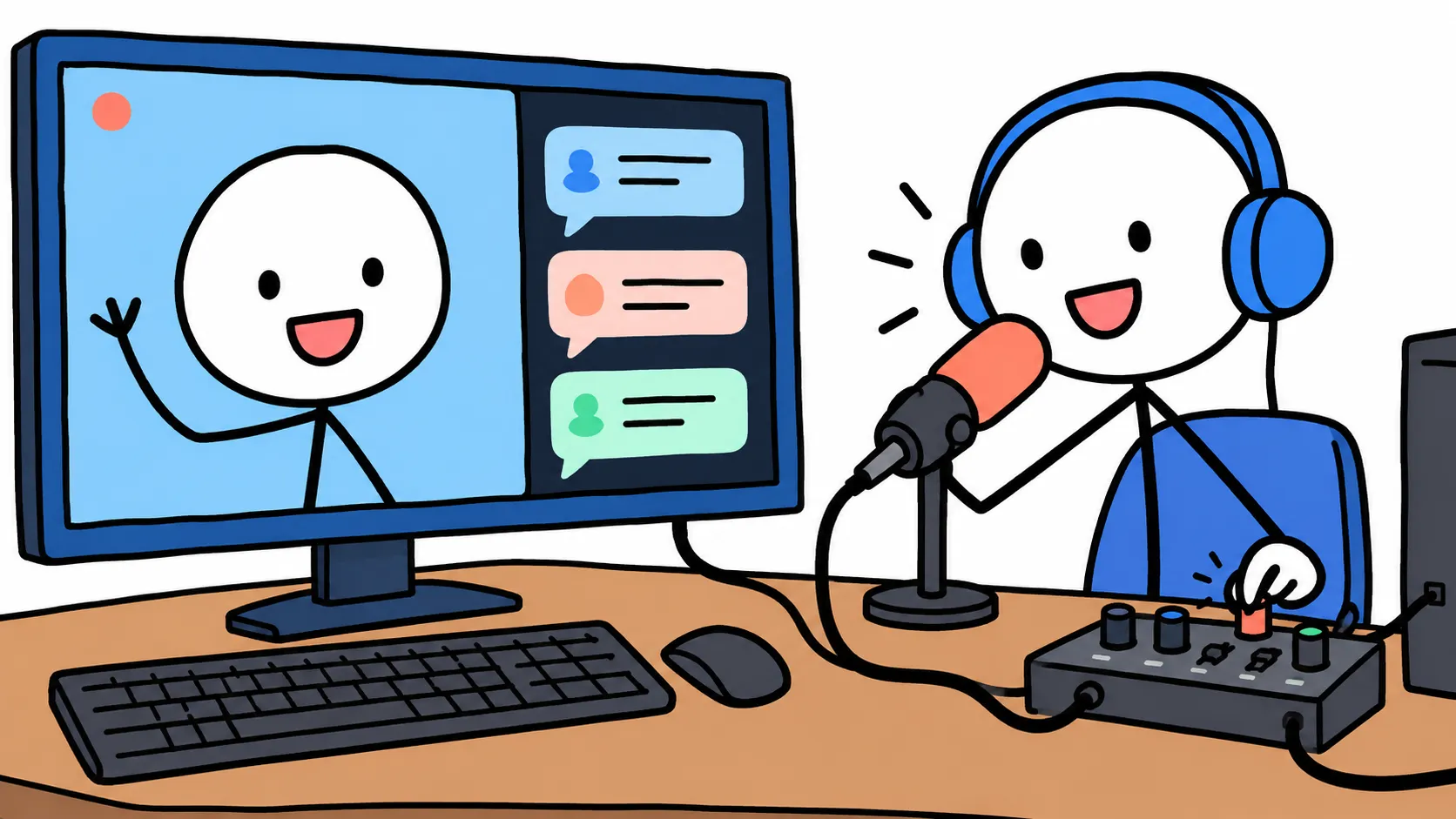
Ren streams as Captain Ottilie Brine, a sea otter who has commanded the same leaky submarine for forty years and regards dry land as a rumour. On Sundays the Captain reads a six-minute “Captain’s Log” for YouTube. On Tuesdays she crews a survival game with three friends on Discord while Twitch watches.
The Sunday logs go through ElevenLabs, and the Captain comes out gravelly, unhurried and exactly as tired of everyone as she should be. So ten minutes before Tuesday’s stream, Ren opened Discord’s input dropdown to pick her voice. There was a webcam microphone, a headset and a USB mic. There was no ElevenLabs.
That missing entry is most of this comparison. Prices and platform details below are as of 19 October 2026. For designing the character voice in the first place, start with How to Create a Consistent VTuber Voice Without Being a Voice Actor.
1. Two tools that both say “voice changer”
A live voice changer sits between your microphone and every app. Installing one creates a virtual microphone: a fake input device your computer treats like real hardware. You select it in Discord, OBS or a game, speak normally into your real mic, and every app hears the processed voice. The conversion happens in small pieces as you talk, because someone is listening.
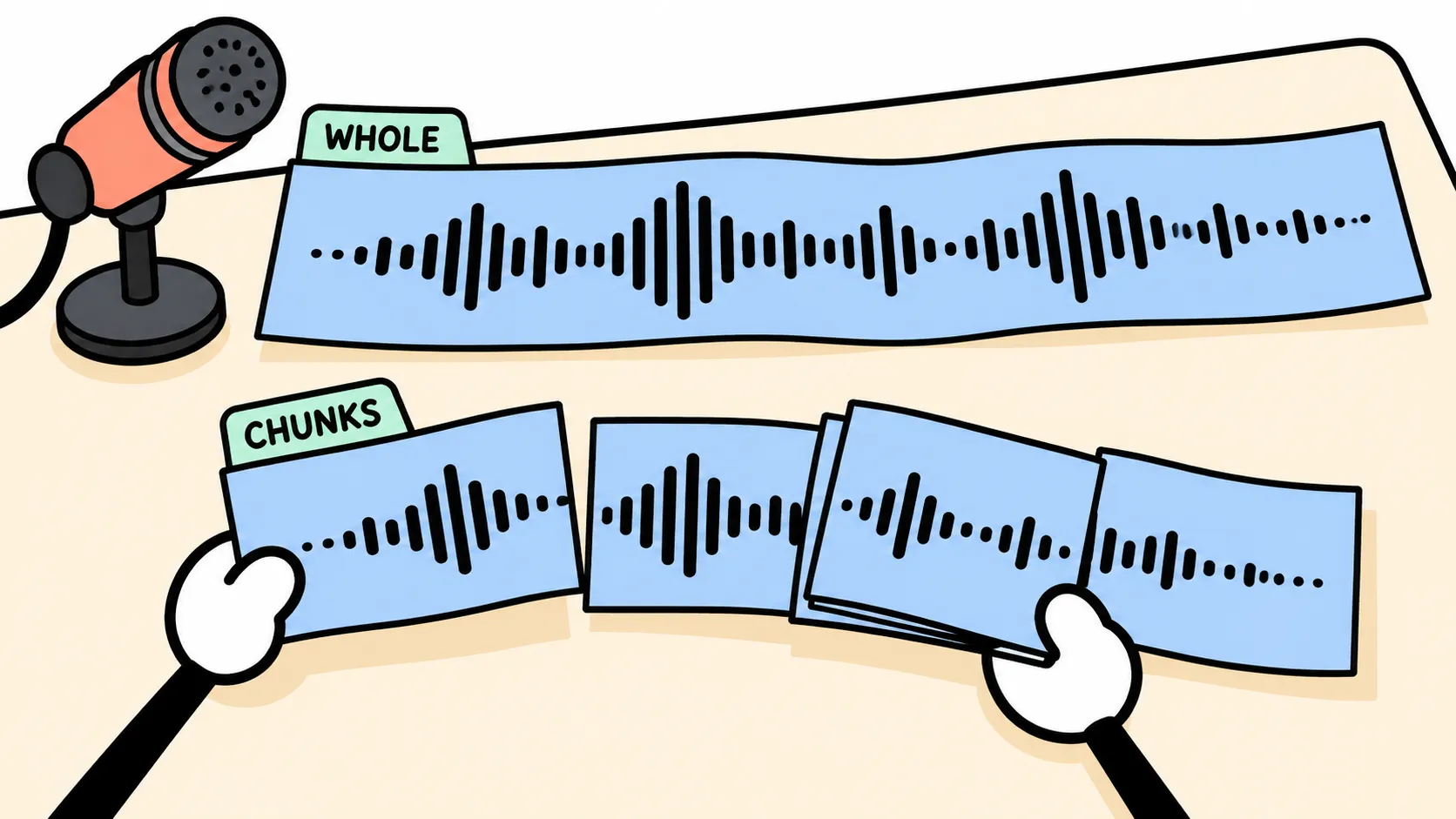
A recorded voice changer works on a file. You record in your own untreated voice, upload it and get a converted file back. This is called speech-to-speech: the model keeps how you said a line (the timing, the stress, the sigh in the middle) and replaces who said it. The whole recording exists before conversion starts, so the model hears entire sentences and nobody is waiting.
Voicemod is the first kind. ElevenLabs’ Voice Changer is the second. Almost every difference below follows from that.
ElevenLabs Voice Changer
The Voice Changer (formerly called Speech to Speech) runs in the ElevenLabs web app and through its API. You upload a file or record in the browser; each file must be under 50 MB and five minutes. You pick a target voice by its ID (one you designed, one from the shared Voice Library, or a clone) and set stability, similarity and style exaggeration, with optional background-noise removal. The speech-to-speech models are eleven_multilingual_sts_v2 (29 languages) and eleven_english_sts_v2; ElevenLabs’ newer v3, v4 and Flash models read typed text and do not convert voices. One minute of conversion costs 1,000 credits. ElevenLabs says the Voice Changer captures “whispers, laughs, cries, accents, and subtle emotional cues.”
Voicemod
Voicemod is a desktop app for Windows and macOS, with a mobile app and a hardware dongle (VMKey) for consoles. It installs the virtual microphone. Its homepage promises “ultra-low latency” but gives no figure. Its voices come in two kinds:
- Effect voices are chains of conventional processing: pitch, reverb, distortion. Your real voice is always underneath. Voicemod counts “250+” voices overall.
- AI voices run your speech through a machine-learning model and come out as a different speaker. Voicemod lists “25+”, trained on “English-speaking professional voice actors” and “Fairly Trained certified.” They need a processor with AVX2 support (most CPUs since 2013, Voicemod says) and may run into “technical issues” on lower-powered computers.
Around the voices sit the features streamers buy it for: a soundboard (keybound buttons that play clips or switch voices straight into your microphone), VoiceLab for building your own effect voices, and Voicemod Live for Twitch.
2. What a VTuber actually hears
| Test point | Voicemod (live) | ElevenLabs Voice Changer (recorded) |
|---|---|---|
| When the voice changes | While you speak, through a virtual microphone | After you finish, on a file of up to five minutes |
| Delay | Unavoidable; no figure published | None live; you wait for the file |
| Emotion and texture | AI-voice tips ask for clean speech, no breaths or filler sounds | Marketed as preserving whispers, laughs and cries |
| Where the character lives | Preset plus your live performance; free voices rotate daily | A fixed target voice ID |
| Where the work is | Up front: routing, echo, noise suppression | Afterwards: editing and file management |
| Fixing mistakes | Voice is baked into the recording | Keep the dry take, re-convert any time |
Latency
Latency is the delay between your mouth moving and the converted sound coming out. A live converter has to collect a short slice of your speech, called a buffer or chunk, before it can convert it. Bigger chunks give the model more context and usually sound better; smaller ones arrive sooner. For scale, the open-source Seed-VC project states about 300 ms of algorithmic delay plus about 100 ms on the device side for its real-time mode. Voicemod publishes no number; the latency guide covers measuring your own.
Viewers never notice the delay itself, because voice and avatar reach them through the same stream. Two places do:
- Your avatar’s mouth. If VTube Studio moves it from your webcam, the mouth moves before the voice arrives, like a badly dubbed film. Either point VTube Studio’s Advanced Lipsync at the Voicemod microphone (it lets you choose any input device, virtual ones included), or add OBS’s Render Delay filter to hold the avatar’s picture back by up to 500 ms.
- Your Discord friends. When the Captain shouts “Dive, dive, dive!” a beat after a friend already has, the joke dies. Only a smaller buffer or a faster computer helps.
Emotion
A VTuber character lives in the edges of a performance: the laugh that turns into a cough, the whisper in a horror game, the sigh before reading a terrible superchat. Those short, noisy, not-quite-word sounds are what voice conversion finds hardest.
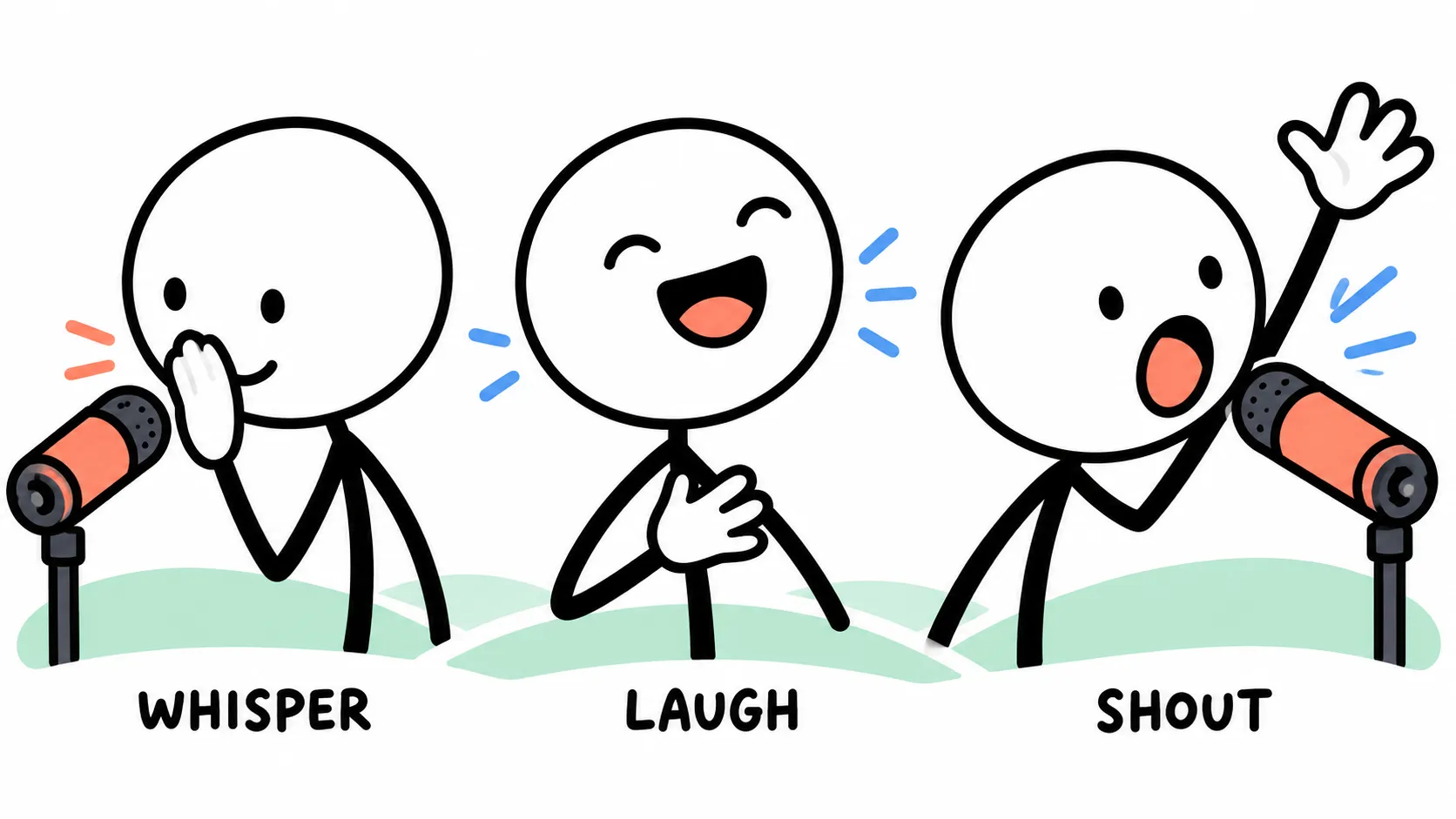
The two vendors point in opposite directions here. ElevenLabs markets exactly these sounds surviving and tells users to “be expressive in your recordings.” Voicemod’s advice for its AI voices is to “speak naturally—no rushing, slurring, or filler sounds,” not to breathe into the microphone, and to speak English, the language of its training data. That suits gaming chat, and suits a whispered ASMR segment or a character who mutters rather less.
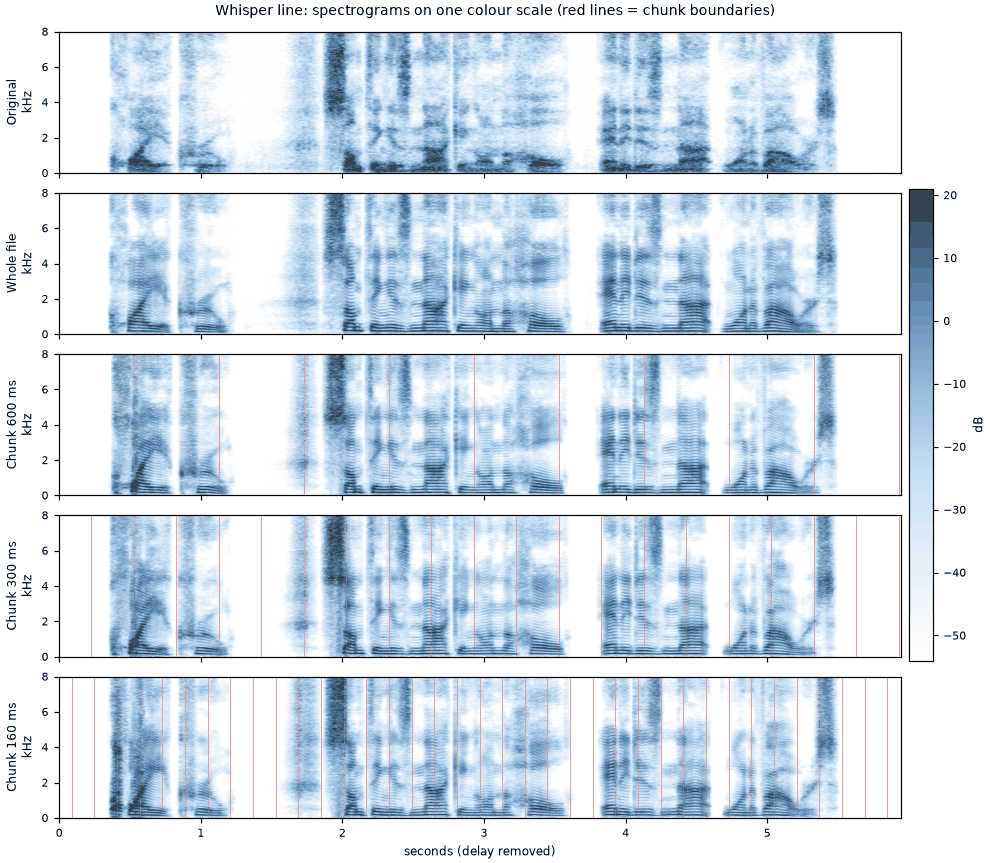
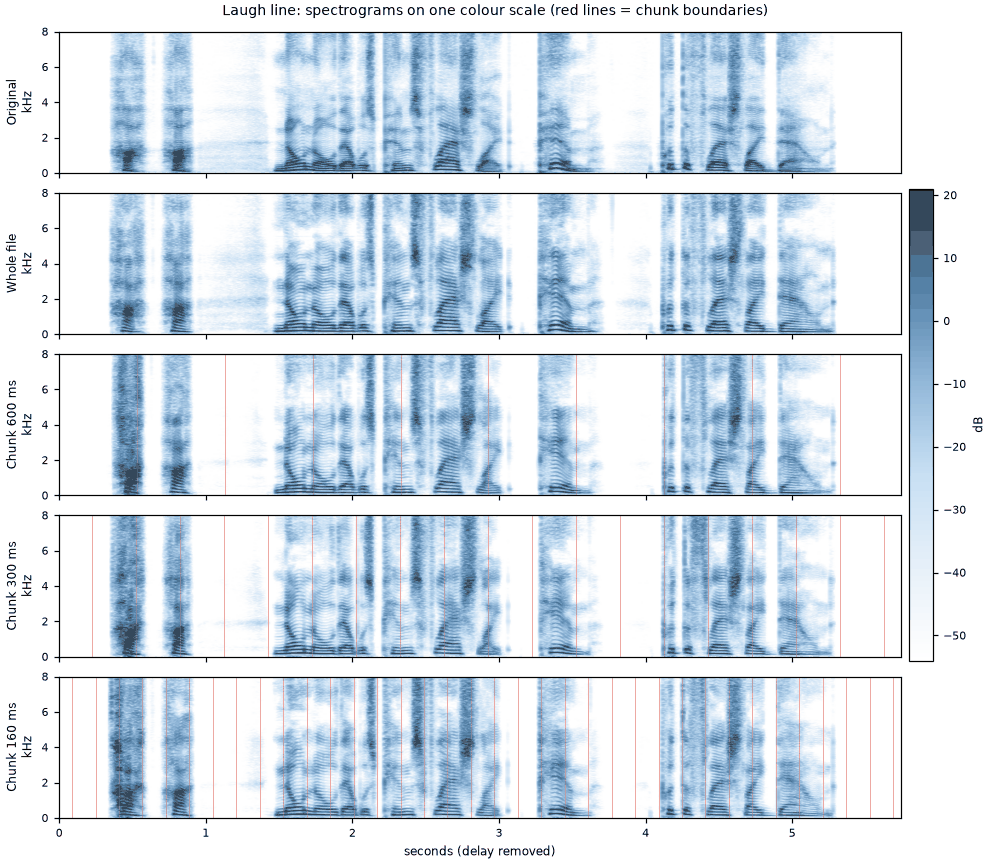
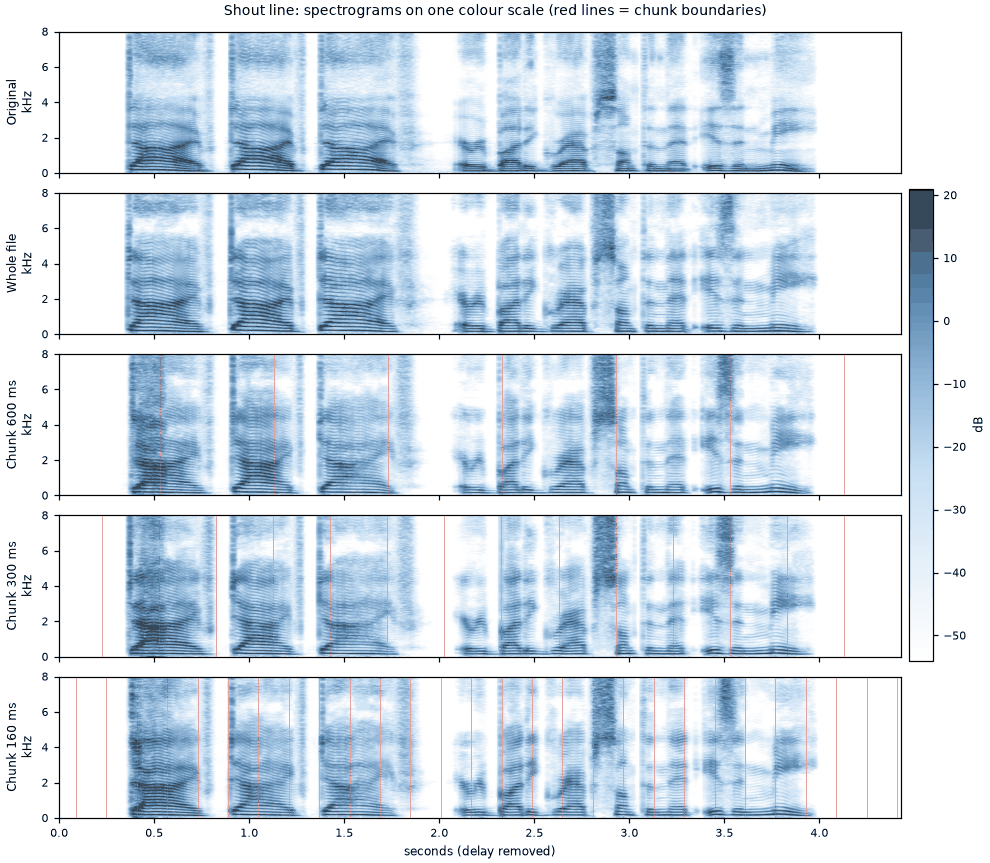
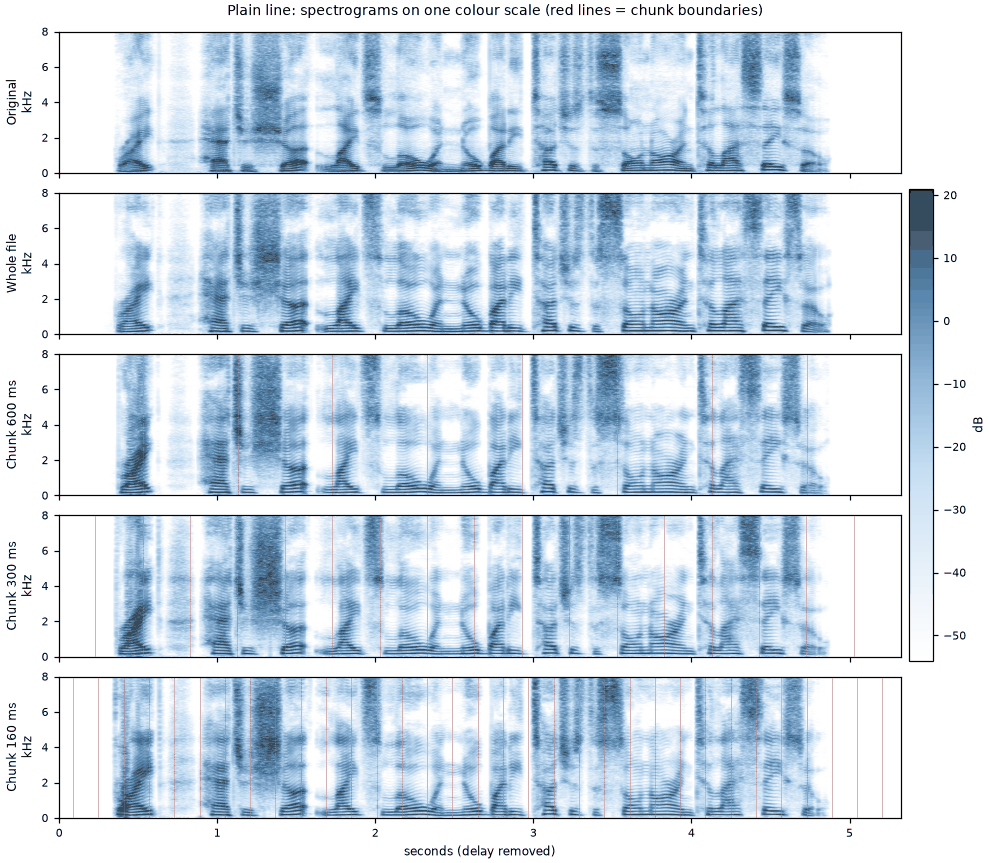
Context is the reason. A live converter that has heard half a laugh has to guess the other half, and it guesses again at every chunk boundary. A whole-file converter makes its decision with the full laugh in front of it. If your character depends on whispers and half-laughs, this matters more than any feature list; if it is mostly clear shouting over game audio, it hardly matters. The AI whisper guide goes further into what breaks.
One performance, converted whole and in chunks
“Quiet, crew. Something is knocking on the hull, and it is not one of ours.”
 Whole file
Every clip as a plain player, with downloads and spectrograms
Whisper: “Quiet, crew. Something is knocking on the hull, and it is not one of ours.”
Laugh: “Ha, ha ha! No, no, that was Pim's flashlight. Pim. Put the flashlight down.”
Shout: “Dive, dive, dive! Everybody grab something that isn't me!”
Plain: “Right. Hatches shut, lights low, and nobody touches the sonar until I say so.”
Consistency
With ElevenLabs, the character is a voice ID: a target voice you designed or cloned once. Every conversion lands on it, whatever state you are in; your recording supplies pace, energy and emotion. Write the model name next to the ID, because a model update can make a voice sit differently.
With Voicemod, the character is a preset plus your performance. An effect voice reshapes your own voice, so you have to hold pitch and placement steady across a four-hour stream. An AI voice replaces more of it, but still follows your delivery live, with no re-takes. And on the free plan the voice library is a “limited daily rotation.” A character whose voice might be missing next Tuesday is not a character yet, so budget for PRO.
Fixing it afterwards
Whatever Voicemod sends to OBS is what OBS records, voice baked in. If the Captain slipped for a sentence or a keyboard click came out as a chirp, the only fix is to cut it. A recorded workflow keeps the dry take, your own untreated voice, as the master: you can re-convert one line, try another setting, or swap to a better model next year. Ren’s Sunday logs are re-convertible forever. Their Tuesday streams are exactly as they happened.
3. Setting it up for OBS, Discord, Twitch and YouTube
OBS. In the audio mixer, open the properties of your microphone source (usually “Mic/Aux”) and select the Voicemod microphone; the steps are the same on macOS. If you hear yourself twice, Voicemod’s “Hear Myself” monitoring is on while OBS also captures desktop audio. Voicemod’s fix is to capture individual applications instead, excluding Voicemod. OBS can also send each audio source to any of six tracks, separate channels recorded side by side in one file, which the hybrid setup below relies on.
Discord. Set the input device to the Voicemod microphone, keep your real headphones as the output, and set Input Profile to Studio. That stops Krisp, noise suppression and other processing that Voicemod says “may interfere” with its microphone. If the Captain sounds fine in OBS and underwater in Discord (the wrong kind of underwater), check this first. ElevenLabs can only reach a live call as a pre-converted clip played from a soundboard.
Twitch. The setup is OBS’s. The Twitch-specific extra is Voicemod Live, a free extension that lets viewers spend Bits to switch your voice to ones you allow. For a gaming channel that is income. For a VTuber, it is a button that lets chat turn the Captain into a chipmunk. If you enable it, allow only obviously silly voices so nobody mistakes the joke for a slip; custom voices cannot be added to it yet anyway.
YouTube story videos. This is ElevenLabs’ home ground: the video is edited, re-takes are normal, and the dry recording is worth keeping. Convert in pieces under five minutes. YouTube asks for a label on realistic altered or synthetic content, but lists “cloning one’s own voice to create voice overs or dubs” among the uses that do not need one and exempts clearly unrealistic or animated content. An otter submarine captain qualifies. A cloned voice of someone else does not, and has no place on your channel without their written permission.
4. Which one should you use?
Mostly live: Voicemod
ElevenLabs does not do this job. Learn the routing on Voicemod’s free plan, then move to PRO once you have chosen the character’s voice. Write the preset’s settings down, and never put the keybind for “Robot” next to the one for the Captain. The whispered or laughing line will be your weakest moment, so write the character around clear speech or accept those moments sounding more like you.
Mostly story videos: ElevenLabs
Record dry, keep the dry files, and pin the voice ID and model name on your voice sheet. This is also the route for shorts, visual-novel dialogue and breathy ASMR. What you give up is any live presence in the character’s voice: a Discord call, a collab, a chat reaction. The Captain, who exists partly to shout at her crew in real time, would not survive it.
Both, with one dry track
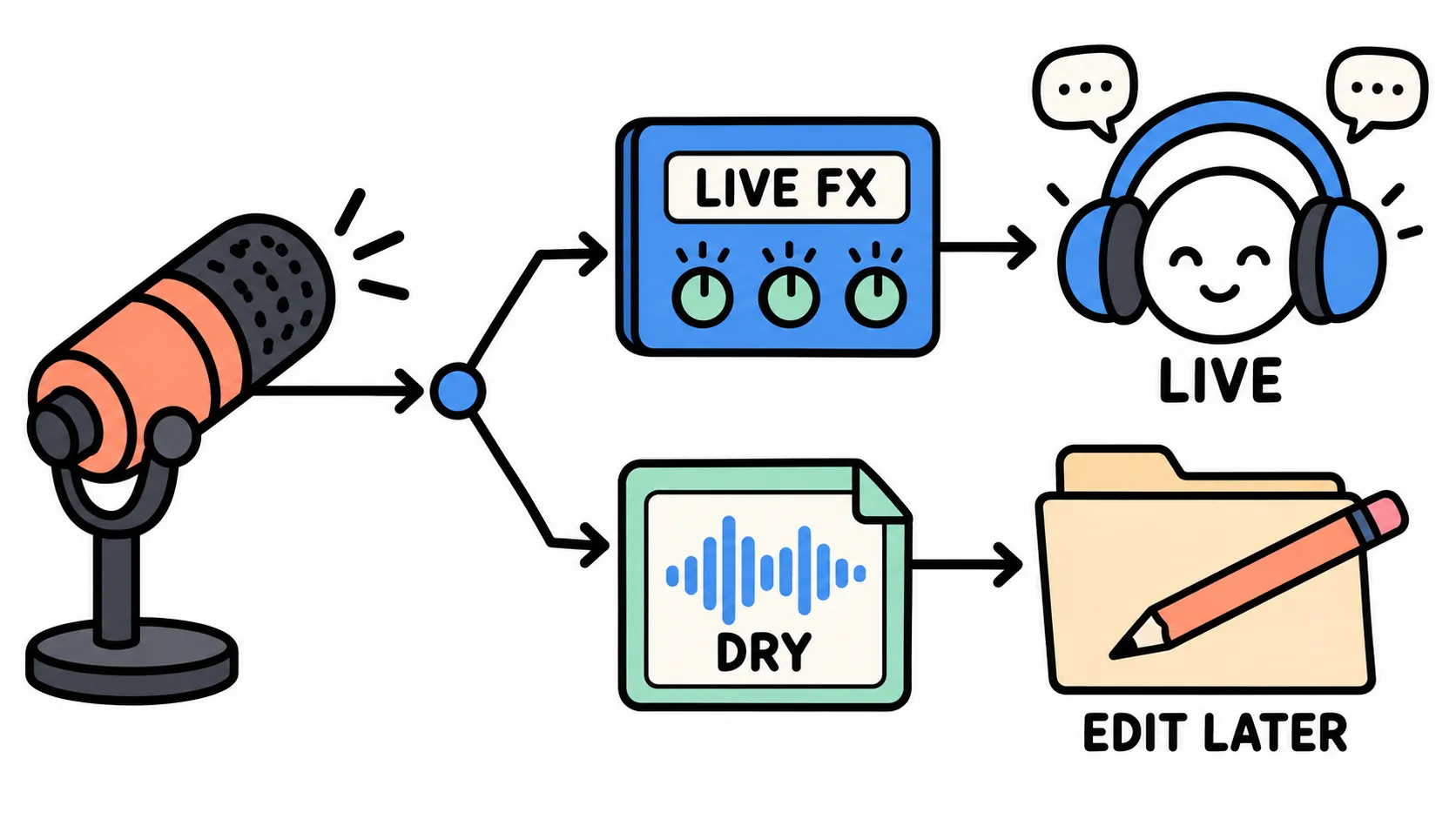
Ren ended up here. The trick is recording your untreated voice alongside the stream:
- Stream through Voicemod as usual, with the Voicemod microphone on OBS track 1 alongside game and music.
- Add your real microphone as a second OBS source, muted on the stream and assigned only to its own recording track. MKV is the usual container for multi-track recordings; OBS can remux it to MP4 for your editor.
- Polish highlights from the dry track. Run a clip worth keeping through ElevenLabs with the character’s target voice. The rest of the VOD archive can stay as streamed.
Voicemod and ElevenLabs are different engines with different voice libraries, so the Tuesday Captain and the Sunday Captain will never be twins. The bar from the consistency guide is enough: same character, different microphone. Match the ElevenLabs voice to the Voicemod preset on what a listener notices first (age impression, texture, how low the voice rests); Voice Design, which builds candidate voices from a written description, makes that easier to iterate. Then speak a few anchor lines through both tools and play them to two friends. If they can’t tell which Captain is which, you are done.
What it costs, checked 19 October 2026
| Voicemod | ElevenLabs | |
|---|---|---|
| Free | Daily-rotating voices, one soundboard, no VoiceLab | 10,000 credits a month (about 10 minutes of conversion); no commercial licence |
| Live-first | PRO: full library, unlimited soundboards, VoiceLab | Not needed |
| Story videos | Not needed | Starter: US$6 a month, 30,000 credits (about half an hour), commercial licence |
| Hybrid | PRO | Starter, or Creator (US$22 a month, 121,000 credits) for long weekly videos |
A six-minute Captain’s Log with a couple of re-takes fits Starter; a weekly forty-minute VOD does not. Starter is also where the commercial licence begins, so a monetised channel should not stay on Free. Voicemod publishes no PRO price on its website or help centre; it shows prices in the app and at checkout, so check there on the day you buy.
Platforms, checked 19 October 2026
- Voicemod: Windows 10 (build 1607 or later) and 11, 64-bit, including ARM64EC devices. macOS 13 Ventura or later per its system requirements page (another help page says Monterey 12), on Apple Silicon and Intel. No Linux; it is an “aspirational” roadmap item. Needs an internet connection, and AI voices run on your own CPU.
- ElevenLabs: any browser, or the API. Conversion runs in the cloud, so your computer barely matters, though that also means no help with live voice on any of them.
Voicemod publishes no macOS feature-parity list, and several of its guides are written for Windows. On a Mac, check that the voices you want appear in the Mac app before paying.
The short answer
Stream mostly: Voicemod. Publish edited videos mostly: ElevenLabs. Do both: both, joined by a dry track. That changes if ElevenLabs ships a voice changer that appears as a virtual microphone, or if Voicemod’s “Prompt-to-Voice”, listed as “coming soon” on its VoiceLab page, starts building live voices from a written description. The Captain sounds very slightly different on Tuesdays. Nobody in chat has noticed, and she would deny it anyway.
Sources
- ElevenLabs documentation: Voice Changer capability page, Voice Changer product guide, Voices, Models, and the Voice Changer streaming API reference. Checked 19 Oct 2026.
- ElevenLabs pricing page, including the plan comparison and credit FAQ. Checked 19 Oct 2026.
- ElevenLabs “Conversational Voice Changer” landing page and the ElevenLabs changelog (entries 3 Aug to 12 Oct 2026). Checked 19 Oct 2026.
- Voicemod homepage and “Voice Changer” page. Checked 19 Oct 2026.
- Voicemod Help Center: “Voicemod Features: Free vs. PRO,” “Voicemod Voices,” “Voicemod’s system requirements (Windows & macOS),” “Where can I use Voicemod?,” “VoiceLab: How does it work?,” “How to purchase a Voicemod license,” “How to set up Voicemod on Discord,” “How to use Voicemod with OBS, Streamlabs, xSplit and Twitch Studio,” “[macOS] How to Use Voicemod for macOS on OBS, xSplit and Twitch Studio,” “‘I hear my self double in OBS!’,” and “How to set up Voicemod Live (plugin for Twitch).” Checked 19 Oct 2026.
- OBS Studio filters guide (Render Delay) and OBS Studio source code (Render Delay range 0–500 ms; six audio tracks). Checked 19 Oct 2026.
- VTube Studio wiki, “Lipsync.” Checked 19 Oct 2026.
- Plachtaa/seed-vc GitHub repository README (stated real-time delay). Checked 19 Oct 2026.
- YouTube Help, “Disclosing use of altered or synthetic content.” Checked 19 Oct 2026.